 WorkProof
Timestamp camera for work
Proof the job was done
Every photo is stamped with the time, street address and weather, straight from your phone. Send your customer a clean report before you leave the driveway.
- Time and place can’t be typed in
- No account
- Free 3-day trial


How it works
Shoot it, it’s stamped, send it
Shoot the job
Open the app and take the photo. Press a volume button if you’re wearing gloves. Shoot a before and an after if you want a pair.
It’s stamped for you
The time, date, street address and weather are burned into the photo from your phone. Nothing to type, nothing to forget.
Send the report
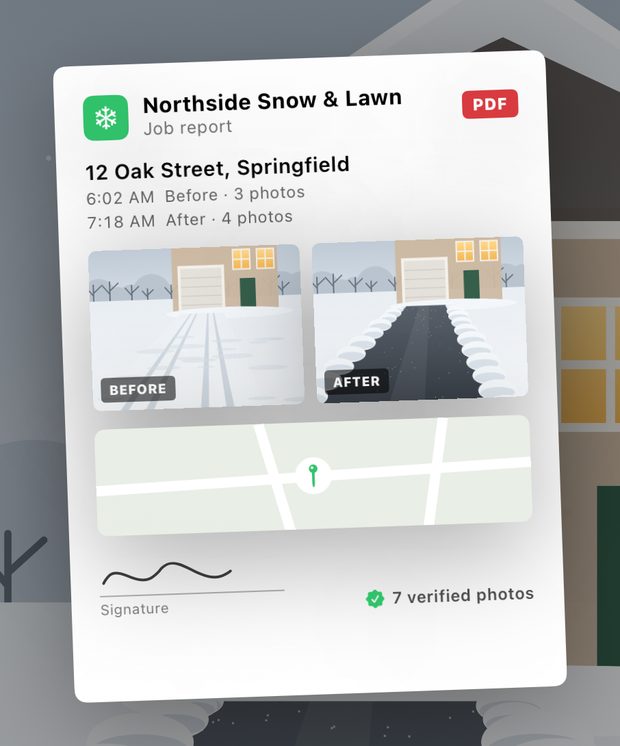
One tap turns the job into a PDF with your name, the visit times, before and after photos and a map. Send it and get paid.
The stamp
Time and place, burned into every photo
The stamp is part of the picture, not a caption someone can delete. Your customer sees exactly when you were there and what it was like outside.
- From the phone, not the keyboard. Time comes from the clock, the address and GPS from your location. You can’t edit them in the app.
- Weather on the photo. Temperature, conditions and wind from Apple Weather. Handy when the question is “did it snow?”
- Job name and notes. Tap “Plowed” or “Gate closed” and it goes on the stamp.
- Original kept, fingerprinted. The unstamped photo is saved too, with a SHA-256 fingerprint of both files, so you can show neither was changed.

Before and after
Same angle, every time
Shoot the before. When you come back, a faint ghost of it sits over the camera so you can line up the after. The two are kept together as a pair.
- Pairs that make the point. A snowed-in driveway at 6:02 AM, clear at 7:18 AM.
- Nothing left half done. A job shows which befores are still missing an after.

Reports
A report your customer will actually read
One tap builds a PDF from the job: your business name and logo, the address, a table of visits, before and after pairs and a map.
- 1, 2 or 4 photos per page. Big photos for one visit, compact pages for a whole season.
- Signature line. Add a line for your customer to sign the printed report.
- Send it anywhere. Text, email or AirDrop it straight from the app.
The details
Built for the truck, not the office
A job for every property
One job per property or customer, named from the address you’re standing at. Visits group themselves by time.
Six stamp styles
Time & place, Weather proof, Job record, Inspection, Minimal and Survey. Pick the size and the corner.
Works without signal
Shoot at the back of the lot. The stamp uses the last known address and weather until you’re back in coverage.
Gloves on
Fire the shutter with the volume buttons. Switch between 0.5×, 1× and 2× on iPhones that have those lenses.
Private by design
No account. Photos stay inside the app on your iPhone. Saving a copy to Photos is up to you.
A code on every photo
Each photo carries a short code and QR your customer can check, tied to that photo’s fingerprint.
Who it’s for
For anyone whose customer isn’t home
Plowed at 4 AM, cleaned while they were at work, delivered to an empty porch. WorkProof shows it happened, and when.
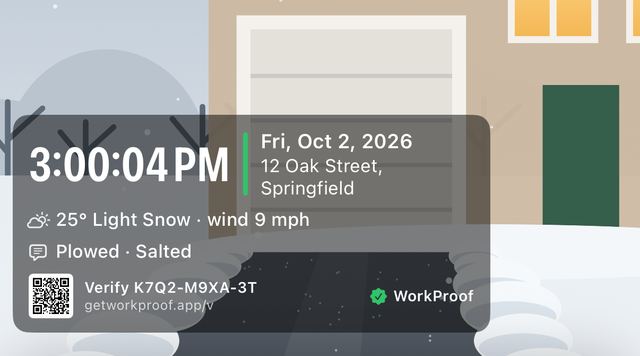 Snow removal
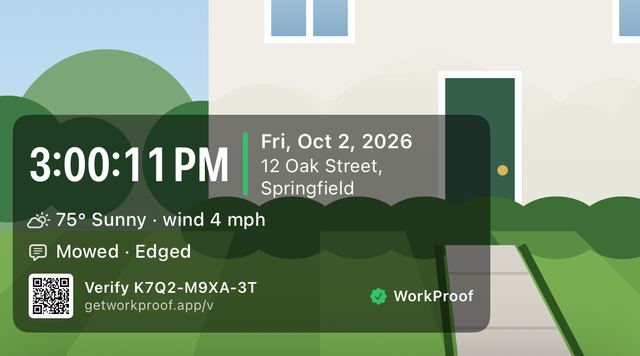 Lawn care
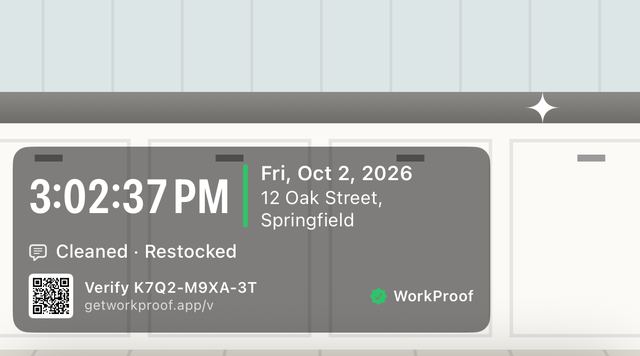 Cleaning
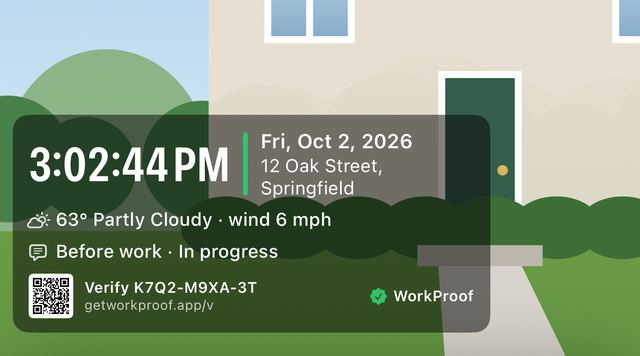 Construction
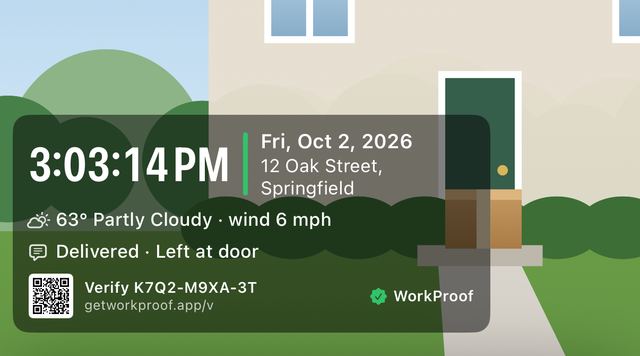 Delivery
- Snow & ice removal
- Lawn care & landscaping
- Cleaning
- Construction & trades
- Roofing
- Property management
- Inspections
- Delivery
- Security patrol
Pricing
One subscription, every feature
Stamps, before and after, jobs and reports. Try it free for 3 days and cancel anytime.
Yearly
3 days free, then $69.99 a year. That’s about $5.83 a month.
- Every feature included
- Cancel before the trial ends and pay nothing
Monthly
Billed every month. Good for a single season.
- Every feature included
- Cancel anytime
Prices in US dollars and may vary by country; the app shows your local price before you subscribe. Payment is charged to your Apple ID. Subscriptions renew automatically unless cancelled at least 24 hours before the current period ends. Cancel anytime in Settings › [your name] › Subscriptions.
Questions
Good to know
Can the time on a photo be changed?
No. The time, date and place are taken from your phone the moment you shoot and burned into the photo. There’s no way to type them in, edit them or backdate a photo in the app. The original is kept alongside, with a fingerprint of each file.
Does it work without signal?
Yes. You can shoot anywhere. Without a connection, the stamp uses the last known address and weather, and the time still comes from your phone.
Where are my photos stored?
Inside the app on your iPhone. There’s no account and we don’t upload your photos. If you want a copy in your photo library too, turn on Also save to Photos in Settings.
Can I add my logo?
Yes. Add your business name and logo in Settings. They appear on your PDF reports, and on the stamp when you turn on the “Your business” line.
What is the code on each photo?
Every photo gets a short code and QR on its stamp. It’s tied to that photo’s time, place and fingerprint, so a customer can match the photo to its record. We’re setting up online checking at getworkproof.app; until then, the code identifies the photo in your reports.
Will a court or insurer accept these photos?
WorkProof gives you a clear, consistent record of when and where you worked. Whether a court, insurer or customer accepts it is up to them, and we can’t promise any outcome. It isn’t legal advice.
How do I cancel?
Go to Settings › [your name] › Subscriptions › WorkProof on your iPhone. Cancel at least 24 hours before your trial ends and you won’t be charged.
Put your next job on the record
Free for 3 days on iPhone.